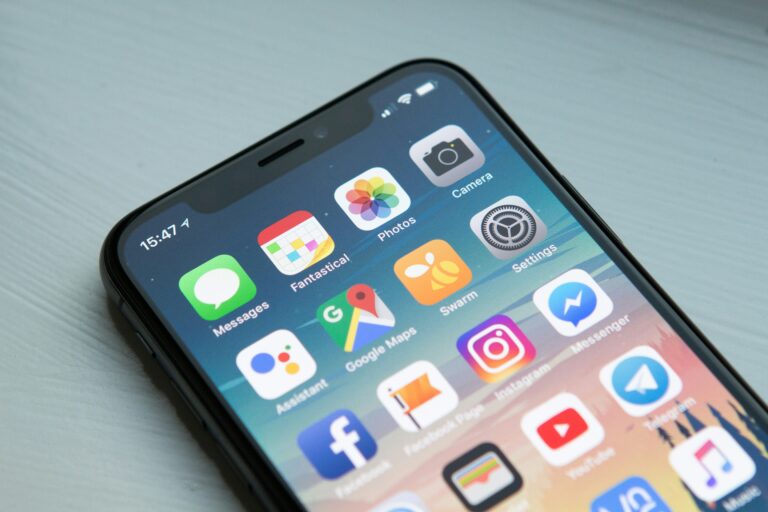
A phone charger, a passport, a smartphone. Pack those three things and you’re basically ready for anything. Modern travel has quietly reshaped itself around the device in your pocket — the same gadget you use to order coffee now books flights, translates menus, and tells you which street you’re lost on. Nearly nine in ten travelers admit they’d feel genuinely stuck without their phone on a trip, and it’s easy to see why. Turning that phone into a real travel companion, though, takes a bit of setup before you ever reach the airport.
Start Packing Your Phone Before You Pack Your Bag
Most people spend hours picking outfits and forget to prep the one device they’ll touch fifty times a day abroad. Storage matters more than you’d think. Photos, boarding passes, offline maps — they pile up fast, so clear out old files before departure day arrives.
Battery life deserves the same attention. A portable charger, a spare cable, and a universal adapter can rescue an entire afternoon when your phone dies in the middle of a train station with no outlet in sight. Small preparations, big payoff.
Download the Right Apps Before You Land
This is where the real transformation happens. A good travel setup usually includes a currency converter, an offline maps app like Maps.me, a translation tool, and something to track flight changes in real time. Airlines cancel roughly 1.5% of flights worldwide on a normal day, so having live alerts isn’t paranoia — it’s just practical.
Security is also on that list. Public networks abroad aren’t always trustworthy, which is why many seasoned travelers add a VeePN VPN to their essential app lineup before they ever board a plane, right next to their maps and translator. With VeePN, you can securely connect to any network, and it also protects against phishing, ISP tracking, bots, personalized advertising, and the like.
Do this before departure, not after touchdown. Hotel Wi-Fi is notoriously slow for downloads, and some countries restrict app stores or throttle connections in ways that make last-minute installs painful.
Staying Connected Without the Shock Bill
Using your phone abroad without a plan is how people end up with $400 roaming charges for checking Instagram twice. eSIMs have mostly solved this problem. You can now buy a local data plan from your phone before you even land, skip the airport SIM-card kiosk entirely, and keep your home number active for calls that matter.
Physical SIM cards still work fine if your phone is unlocked, and they’re often cheaper for longer stays. Either way, check compatibility a week ahead — nothing ruins a first day abroad like discovering your phone won’t accept a foreign SIM.
Public Wi-Fi Isn’t as Friendly as It Looks
Free Wi-Fi at cafés, airports, and hotel lobbies feels convenient, but it’s also where a lot of data theft quietly happens. Hackers don’t need much — an unsecured network and a few minutes are usually enough. That’s exactly the situation a VeePN VPN is built for: it encrypts your connection so that logging into your bank app from an airport lounge doesn’t turn into a security incident.
“I never used to think about it until a friend’s accounts got compromised after using café Wi-Fi in Lisbon,” one frequent traveler put it. “Now it’s just part of how I connect, no different than checking the weather.” That mindset shift — treating digital safety as routine, not optional — is becoming the norm among people who travel abroad often.
Let Your Phone Be Your Translator and Tour Guide
Language barriers used to mean pointing at menus and hoping for the best. Now, apps like Google Translate can scan a sign and overlay the translation directly on your camera screen, instantly. It’s not perfect, but it’s close enough to order food, ask for directions, or read a museum plaque without panic.
Beyond language, your phone can replace an entire stack of paper guidebooks. Google Maps saves offline regions, restaurant apps surface local favorites over tourist traps, and city-specific apps often reveal events no guidebook would ever mention.
Keep Your Money and Documents Safe
Digital wallets have made physical cash almost optional in many countries. A few habits make this side of travel far smoother:
- Store digital copies of your passport, visa, and insurance documents in an encrypted note or cloud folder
- Enable your banking app’s travel notification feature so transactions abroad aren’t flagged as fraud
- Keep one backup payment method separate from your main wallet, just in case
- Screenshot your hotel confirmation and address in the local language
None of this takes more than fifteen minutes, and all of it saves real stress later. Losing a physical document abroad is stressful; losing one when you have zero backup is a genuine crisis.
Small Habits That Save a Trip
A few tiny routines separate relaxed travelers from frazzled ones. Turning on airplane mode with Wi-Fi enabled saves battery without cutting you off from maps or messages. Downloading offline playlists and podcasts means long flights or spotty rural connections don’t leave you bored and disconnected.
Location sharing with one trusted contact is another underrated habit — quiet, low-effort, and genuinely reassuring for solo travelers especially. It costs nothing and occasionally matters a great deal.
Final Thoughts
A smartphone won’t book the perfect trip on its own, but prepared correctly, it comes remarkably close. The difference between a stressful trip and a smooth one often comes down to fifteen minutes of setup before departure: the right apps, a secure connection, offline backups of what matters most. Travel abroad has never been easier to navigate with just a screen and a signal — as long as that screen is set up to actually help you.